💳
Find waste instantly
See which tools nobody uses and which subscriptions overlap. Cancel what's not working — before it renews.
Shadow AI shows every dollar — by user, by team, by tool — in real time. Set budgets, get alerts, cut waste.
No credit card · Free up to 5 users · Upgrade anytime
$1,240
duplicate spend recovered
38 hrs
saved per month
11.4×
average ROI
Sound familiar?
By the time they find out, months of budget are gone.
😬
Your team signed up for ChatGPT, Claude, Copilot, and Perplexity — separately, on different cards. Nobody has the full list. Some are duplicates. Some nobody uses anymore.
📉
One engineer ran a script that made 10,000 API calls overnight. You find out 30 days later when the invoice arrives. There's no alert, no dashboard, no way to know until it's too late.
🤷
Leadership wants to know if the AI spend is worth it. You have no data to show them. You're guessing — and that makes the whole AI initiative look bad.
Shadow AI fixes this
See which tools nobody uses and which subscriptions overlap. Cancel what's not working — before it renews.
Know exactly which users and teams are active — and which paid seats are just sitting idle.
Set monthly budgets per team or tool. Get a Slack or email alert at 80% — not after you've already gone over.
When leadership asks "what are we getting from AI?" — Shadow AI gives you the data to answer in 30 seconds.
How it works
No infrastructure changes. No code refactor required.
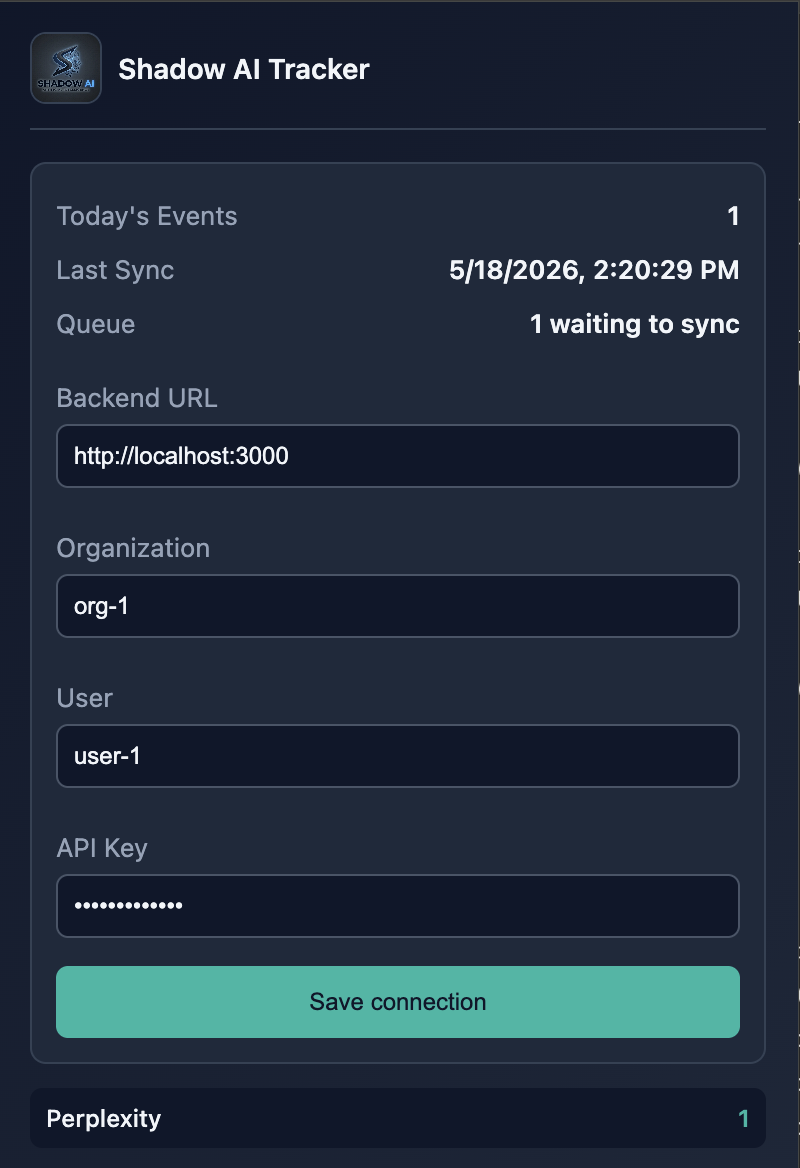
Install the Chrome extension — it automatically tracks ChatGPT, Claude, Copilot, and more. No IT approval needed.
Add users and group them into teams. Shadow AI immediately shows you who's using what and how much it costs.
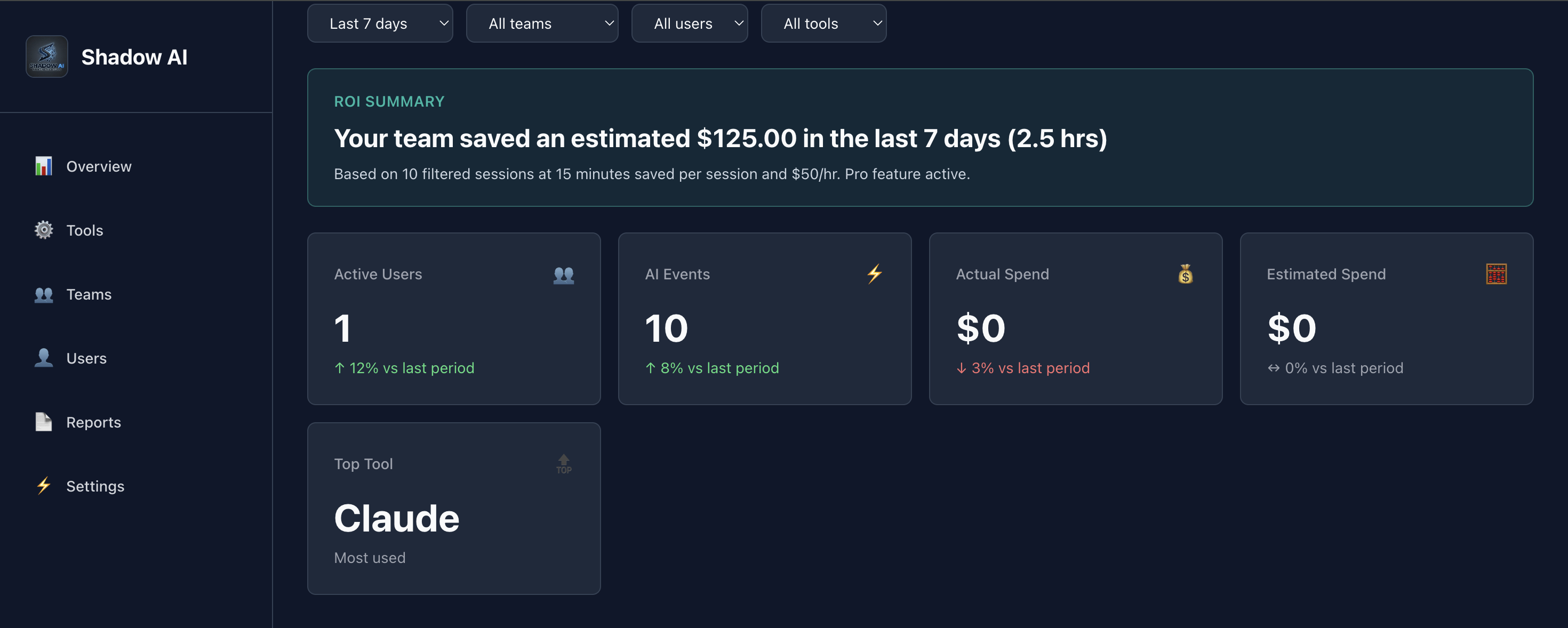
Your dashboard shows real-time spend, waste, and ROI. Every Monday you get a digest in your inbox — no login required.
User-level tracking
Install the Shadow AI Chrome extension and every ChatGPT, Claude, Copilot, and Gemini session is automatically captured — no code changes, no IT approval. Each event is attributed to the signed-in user so you see exactly who's spending what.
Marketing
$640
Research and campaign workflows.
Sales
$420
Outreach prep and call summaries.
Engineering
$1,120
Highest optimization opportunity.
Leaders care about
Spend + ROI
Trends, savings, and decisions.
Trusted by teams
Marketing, Sales, and Engineering use Shadow AI to track usage, reduce waste, and prove ROI.
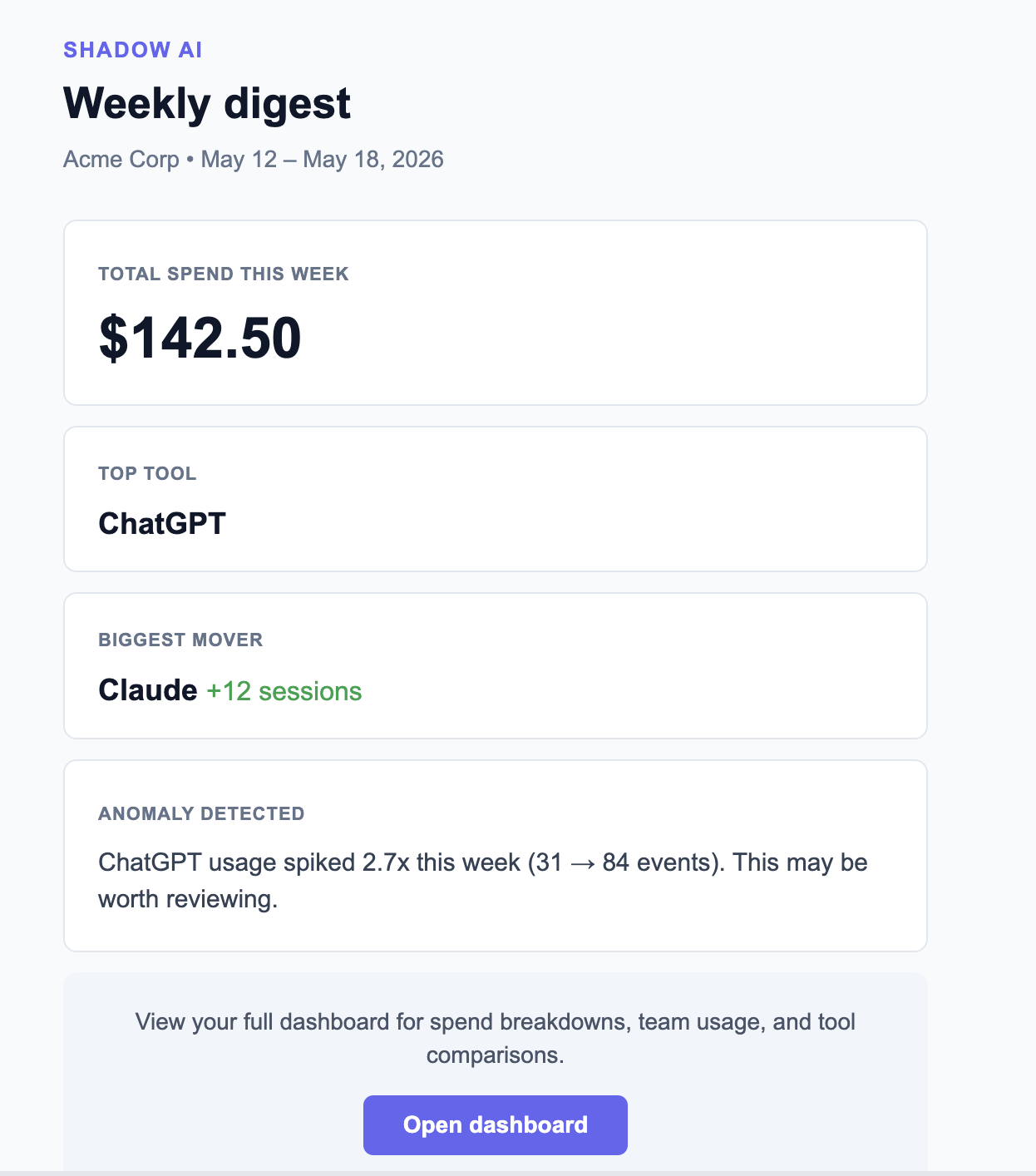
Weekly digest
See spend, top tools, active users, and anomalies without opening the dashboard.
ROI story
Reduce duplicate tool costs and justify AI spend with data.
Important metrics
ROI breakdown
Shadow AI surfaces duplicate subscriptions, inactive seats, and which tools drive real outcomes — so you can cut what's wasted and double down on what works.
Estimated monthly value
$3,230
For engineering teams
If your team uses the OpenAI or Anthropic API directly, install our SDK and every call is tracked automatically — cost, model, tokens, latency. One line of code. Nothing else changes.
After signup
Your API key and base URL are pre-filled in Settings → Integrations. Copy, paste, ship.
pip install shadow-ai
from openai import OpenAI
from shadow_ai import wrap

# One line wraps your existing client
client = wrap(
    OpenAI(api_key="sk-..."),
    api_key="YOUR_SHADOW_AI_KEY",
    base_url="https://shadow-ai-eta.vercel.app",
    team="backend",
)

# Use exactly as before — nothing changes
response = client.chat.completions.create(
    model="gpt-4o-mini",
    messages=[{"role": "user", "content": "Hello"}],
)
# → cost, tokens, latency logged automatically
Connect Shadow AI as an MCP server and your assistant can read spend, budgets, and anomalies — then set guardrails — in plain English. Works with Claude Desktop, Claude Code, Cursor, and any MCP client. Paste one URL, no new dashboard to learn.
Example: you ask Claude how much your team spent on AI this month. Claude calls the get_spend_summary tool and answers with the exact figure and top teams. You ask it to cap the Sales team at two thousand dollars a month; Claude calls create_budget and confirms the budget with an alert at eighty percent.
https://shadow-ai-eta.vercel.app/api/mcp
Server URL
"What did we spend on Claude last week?" "Which team is over budget?" Your assistant pulls live numbers with get_spend_summary, get_org_overview, and list_events.
Admins can create budgets and configure alerts without leaving the conversation — create_budget and configure_alerts unlock only for admin keys.
Scoped API keys mean agents see spend, not secrets — prompt content is never exposed. Read tools work with any key; writes stay locked to admins.
Pricing
Start free. Upgrade when you need the full picture.
Free
$0/mo
Forever. No credit card.
Pro
$49/mo
For teams that mean business.
Both plans include a 14-day Pro trial. No credit card required to start.
Free for up to 5 seats. Connect in minutes. Know exactly where every dollar goes.
Create your free account →